Gallery
Any page with a list of videos becomes a wall of cards with pictures, titles and durations. Filter chips, a queue, previews that play inside the card, three card sizes.
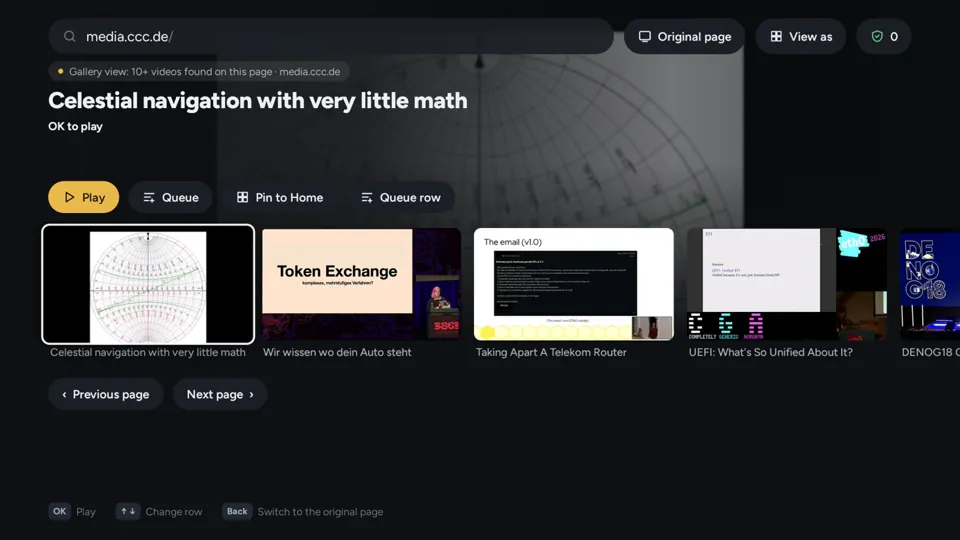
The TV browser without the fake mouse: arrow keys, ads blocked, video in a real player.
Illustration. The subtitle line is an example.
TV browsers hand you a fake mouse. TV Browser moves a focus ring between links and buttons on any site, with no pointer to chase.
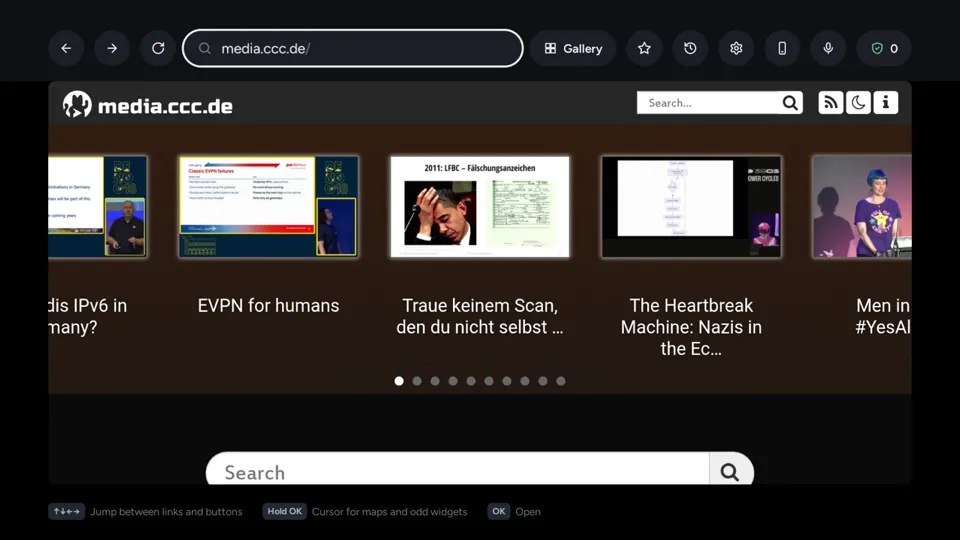
The page's content picks the view. A picker lets you change it, and each site remembers your choice.
Any page with a list of videos becomes a wall of cards with pictures, titles and durations. Filter chips, a queue, previews that play inside the card, three card sizes.
A news front page becomes full-screen story cards you flick through; a story's video plays as you land on it. Articles open in large type you can resize.

Web video opens in a native player with resume, seek that speeds up the longer you hold, and the TV's refresh rate matched to the video.
Speech in the video becomes English subtitles, with the original line above. Made on your own phone or Mac, not in the cloud.
Put the TV app on your TV, and the companion on an Android phone or an Apple Silicon Mac (the Mac companion is a beta).
Scan the QR code on the TV with your phone or Mac. No account. The link is encrypted.
Open a video and press Subtitles. If the phone or Mac goes to sleep, it switches to the other.
Subtitles are machine-generated and can be wrong. A slang setting helps with casual speech.
No ads. No account. Nothing leaves your home.
Type on your phone. Scan a QR code and type, with no app and no account. Send a link from your phone to the TV.
The browser is free. Live subtitles are free for your first 3 hours, then 15 minutes a day.
| Feature | Free | Pro |
|---|---|---|
| Price | $0 | $29.99 onceLaunch price. List price $39.99 One payment. No subscription. |
| Browser, Gallery, Flip, Reader, TV player, ad blocking | Included | Included |
| Live subtitles | First 3 hours free, then 15 minutes a day | No daily limit |
| Pro extras | Not included | Subtitle size, position and background; subtitle transcripts |
Prices are shown in US dollars and may vary by store and country. Playback speed and the audio-track picker are free.
Android TV or Google TV, including budget sticks.
Android TV / Google TV 11 or laterPicks speech and translation models to suit its hardware, and has a self-test.
Android phone with 6 or more coresRuns the larger models for the best subtitles, and adds more languages through Whisper.
Apple Silicon MacEmail only. We send one confirmation email first, and you can leave at any time.
Yes. It opens regular websites, with a TV-sized top bar for Back, Forward, History, Settings and the page's actions.
From the speech in the video, heard and translated on your own phone or Mac. They are machine-generated and can contain mistakes.
No. There is no account. Your history and subtitles stay on your own devices.
Yes. It blocks ads and trackers with EasyList and EasyPrivacy, holds unwanted redirects and new windows, and lets you allow a site from the shield in the top bar.
It needs Android TV or Google TV 11 or later. For subtitles you also need an Android phone with 6 or more cores, or an Apple Silicon Mac.
One payment, no subscription: $29.99 at launch, $39.99 list price. Your price in your own currency is shown in Google Play.
Write to [email protected].